

Summary. OpenAI’s Business Hub and Business Agents give merchants new ways to connect with shoppers. Here’s how to prepare your catalog and test the experience.
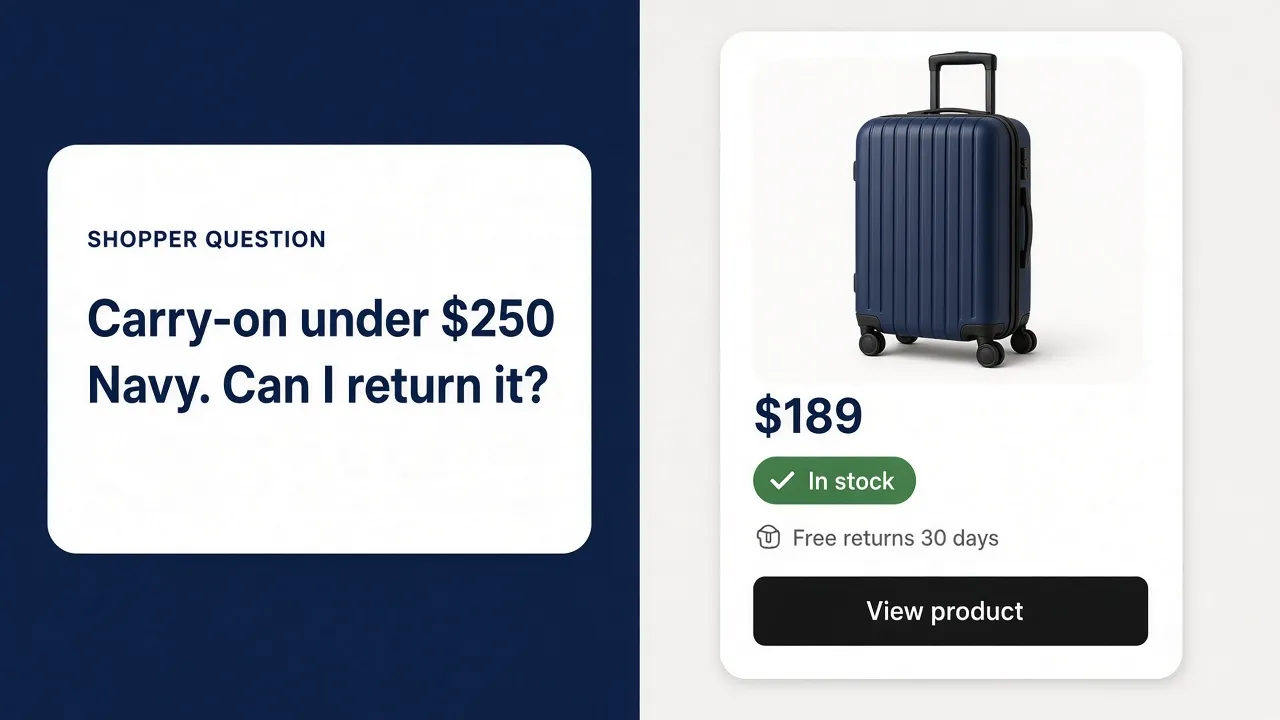
A shopper asks ChatGPT for a hard-shell carry-on under $250. It mentions your store. The shopper opens your business profile and starts a conversation with your Business Agent.
Then comes the real question: “Which of these come in navy, and can I return it if it doesn’t fit the overhead bin?”
That’s a harder question than “What do you sell?” It needs the right product, the right variant, a current price, an accurate stock status, and a return policy the assistant can explain without guessing.
OpenAI’s announcement of Businesses in ChatGPT brings that conversation closer to the merchant. The new features are in beta, but the question they raise is already practical: when someone wants an answer about your products, how much of your catalog is ready to give one?
What OpenAI announced
Businesses in ChatGPT has two main pieces.
Business Hub lets eligible businesses claim their organization, manage business information, add product feeds, and view aggregated insights about how people engage with them in ChatGPT. Shopify merchants can connect their store through Business Hub or Shopify’s admin. Other eligible merchants can also participate without Shopify.
Business Agents give eligible businesses a separate way to answer questions about their products and policies. When a business appears in a ChatGPT response, a user can open its profile and choose to chat with the agent, if one is available. That conversation is labeled and separate from ChatGPT’s independent answer and the user’s original conversation.
The rollout has limits. Eligible businesses can claim a profile where ChatGPT is available, subject to location, business type, and verification. Business Agents are initially available to eligible ecommerce and online service businesses in the United States with a website. A business can qualify for a profile without qualifying for an agent.
Claiming a profile, publishing an agent, and running ads are separate choices. Neither claiming your business nor submitting a product feed guarantees that ChatGPT will recommend you more often.
A profile is useful. The follow-up question is the test.
A business profile helps a shopper understand who you are and what you offer. A product feed gives ChatGPT structured information such as prices and availability. Both matter.
But the follow-up question is where a shopping experience becomes specific. A customer who asks about a navy carry-on isn’t looking for a generic description of your luggage category. They want to know whether a particular variant fits their budget, whether it is available, and what happens if it needs to go back.
That makes a few details especially important:
- Product and variant identity: Is the answer about the exact size, color, or configuration the shopper asked for?
- Price and availability: Does the information match what the shopper will see on the product page?
- Attributes that support a decision: Can the shopper compare relevant details, such as shell material or cabin dimensions, rather than receiving a list of vague benefits?
- Policies and handoff: Can the assistant explain the applicable policy and send the shopper to a working page for the item?
OpenAI’s product feed specification calls for a separate record for each purchasable item or variant, with fields including a stable item ID, price, and availability. It also supports additional product and policy fields where applicable. Follow the requirements for your integration rather than assuming every optional field is supported everywhere.
A feed is only as current as the data and update process behind it. If a color sells out on your storefront but the feed or connected search index hasn’t updated, an assistant may be working from the wrong information. Check how often each source refreshes and what happens when an update fails.
We’ve written before about the difference between an AI citation and a current catalog result. The same distinction applies here: appearing in a conversation and helping someone choose an available item are related jobs, but they are not the same job.
What Business Hub insights can—and can’t—tell you
Business Hub gives verified businesses an initial view into their presence on ChatGPT. OpenAI says the Insights section includes aggregate mentions, website clicks, and discovery topics over the past 28 days. Discovery topics group themes in answers that mentioned or cited the business.
That gives a merchant useful questions to investigate. Are people finding the business around the categories it actually sells? Do the themes suggest that a product guide or policy page needs to be clearer? Are website clicks changing after the business updates its information?
There are important limits. Discovery topics are not individual prompts or a direct measure of customer intent. OpenAI does not share individual user prompts or Business Agent conversations with businesses. A blank insight also does not necessarily mean zero activity; it can reflect a reporting threshold or unavailable data.
Use those aggregate signals alongside your own storefront and search analytics. If a discovery topic points toward carry-on luggage, for example, you might review how well your product pages, feed, and onsite search handle cabin dimensions and color availability. That is a useful follow-up—not proof of what any individual ChatGPT user asked or bought.
The Business Agent is not your checkout
OpenAI’s current setup guidance says a Business Agent can explain products and policies and link to a merchant’s website. It cannot currently complete purchases, make bookings, or check a customer’s order. Those actions happen elsewhere.
That makes the handoff worth testing. If the agent suggests a navy carry-on, does its link take the shopper to the right product? Is the requested color easy to select? Does the price still match? A conversation can be helpful and still lose the shopper if the next page makes them start over.
There is also a paid option. Businesses can sponsor a Business Agent as the destination for ChatGPT ads; OpenAI says sponsored placements are labeled and separate from its independent answers. At launch, the Business Hub and Ads Manager agent settings do not sync, so an eligible advertiser should review and test the agent in Ads Manager separately.
Where SuggestAPI fits
Business Hub gives merchants a way to provide information to OpenAI. SuggestAPI addresses a related discovery problem across the merchant’s own storefronts, applications, and compatible agent experiences: turning a shopper’s request into structured product matches from the catalog or search system the merchant already uses.
For the carry-on request, that means carrying details such as cabin size, budget, and color into retrieval, then returning products an application or agent can use. The merchant keeps its catalog and existing search stack; SuggestAPI provides a discovery layer in front of them. Its Agent Gateway also exposes search, recommendation, comparison, and product lookup tools to compatible agent clients through MCP.
There is an important boundary here. OpenAI says a Business Agent’s separate chat does not use the data or capabilities of a business’s existing ChatGPT plugin. SuggestAPI’s support for agent tools does not mean it automatically connects to Business Hub or a Business Agent. Check the supported connection options for your particular experience before planning an integration.
The underlying work is still shared: keep product data accurate, preserve the shopper’s constraints, and make it easy to retrieve and compare the right items. Whether the request starts on your site or in a compatible assistant, the quality of the answer depends on the catalog behind it.
Five things merchants can do now
- Claim and verify your business if eligible. Open Business Hub in ChatGPT, find or add your business where that option is available, and follow the claim and identity-verification steps. No advertising account is required to claim an eligible business.
- Review your product data before connecting a feed. Check identifiers, variant records, prices, stock status, product URLs, and the relevant policy information. Use OpenAI’s specification and confirm how your chosen feed is updated.
- Test questions that need more than a product title. In the Business Agent preview, try a budget-and-size query, a comparison between two products, and a question about a sale-item return. Check the answers and links against your source information. If a fact is missing, the agent should not invent it.
- Test changes, not just the first answer. Change the price or availability of a sample variant in your source system. After the relevant feed or index has refreshed, check the storefront and any discovery experiences you use. Investigate discrepancies and document the expected update time.
- Review the handoff and the signals separately. Make sure product links lead to useful pages, then use Business Hub’s aggregate insights alongside your own permitted website and search reporting. Don’t assume that a topic, click, or blank metric tells the whole story.
The next question matters
Businesses in ChatGPT gives merchants a more direct role in the information and conversations surrounding their business. It does not remove the need to earn attention, keep data current, or test what happens after someone clicks.
Start with a question a real customer would ask. Then follow it all the way through: from the answer, to the specific product, to the policy, to the page where the customer can take the next step.
If that journey breaks, you have something useful to fix—whether the shopper began in ChatGPT or on your own site.
Explore SuggestAPI to see how a discovery layer can help people and compatible agents find and compare products from your existing catalog.
Frequently asked questions
Does claiming a business guarantee more visibility in ChatGPT?
No. Claiming lets an eligible business manage the information it provides, but OpenAI says it does not guarantee increased visibility or give the business control over ChatGPT’s independent recommendations.
Can a ChatGPT Business Agent access my existing plugin?
Not in the current experience. OpenAI says a Business Agent’s separate chat does not use the data or capabilities of the business’s existing ChatGPT plugin. Check OpenAI’s current documentation before planning any other connection.
Does SuggestAPI automatically connect to a ChatGPT Business Agent?
SuggestAPI provides catalog discovery and an Agent Gateway for compatible agent clients. That does not mean it automatically connects to OpenAI’s Business Hub or Business Agents; verify the available connection options before planning an implementation.
Can a Business Agent complete a purchase?
OpenAI’s current Business Agent guidance says no. The agent can answer questions and link to the business’s website, where the customer completes the purchase.